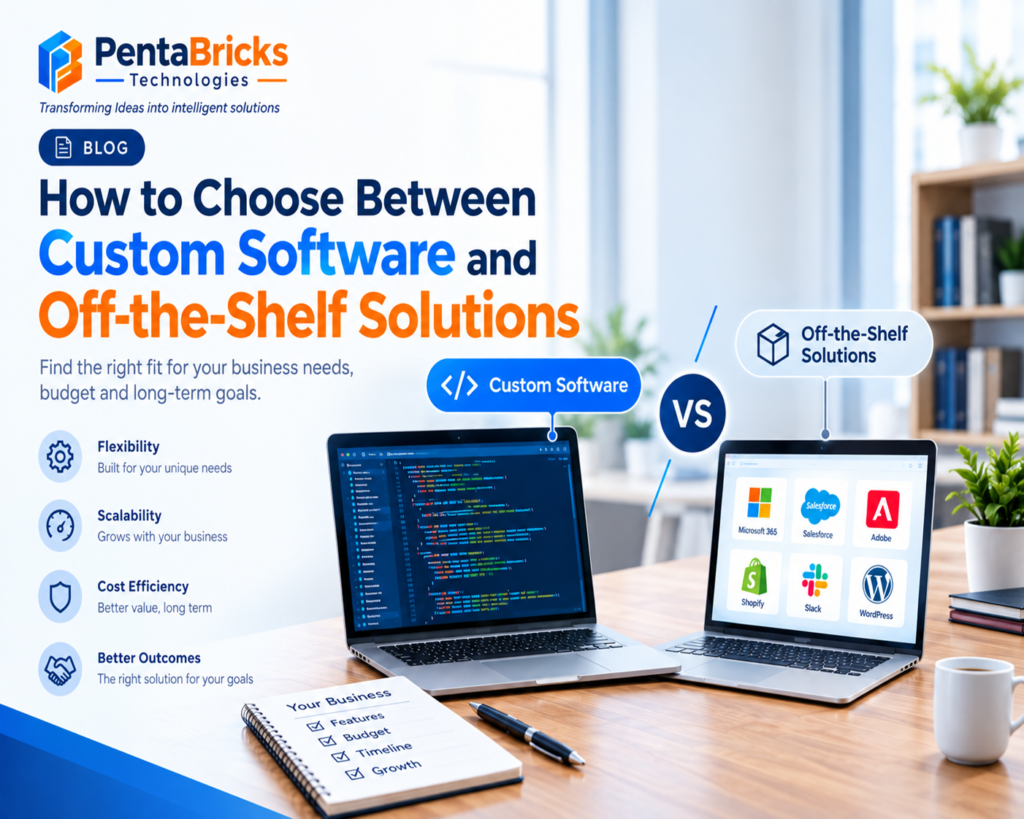
Choosing business software usually starts with a deceptively simple question: build it, or buy it? But the decision rarely comes down to price alone. It depends on how your business actually operates, how fast you’re growing, how many systems your software needs to talk to, and how much control you need over your own data and workflows.
This is the build-vs-buy decision, and it affects companies at every stage a five-person startup picking its first CRM, and a 500-person manufacturer replacing a legacy system that no longer fits how the business runs today.
This guide walks through both paths in detail: what custom software development actually involves, what off-the-shelf software does well (and where it falls short), how the costs really compare over time, and a practical framework you can use to make the decision with confidence.
Custom Software vs Off-the-Shelf Software: What’s the Difference?
Custom software is built specifically for one organization’s requirements, workflows, and systems. Off-the-shelf software is pre-built, standardized, and sold or licensed to many different businesses with the same core feature set. The right choice depends on how closely your requirements match what a packaged product already offers.
Neither option is inherently better. Off-the-shelf software exists because most businesses share common needs accounting, email, basic project tracking and paying to rebuild those from scratch would be wasteful. Custom software exists because some businesses have workflows, integration needs, or scale that no packaged product handles well. The goal of this guide is to help you figure out which category your situation actually falls into.
What Is Custom Software Development?
Custom software development is the process of designing, building, and maintaining software tailored to a specific organization’s requirements, rather than using a pre-built product sold to many customers. It’s typically built by an in-house engineering team or a custom software development company, based on the business’s actual workflows, systems, and goals.
Unlike packaged software, custom applications aren’t shaped by what works for the broadest possible customer base. They’re shaped by what a specific business actually needs which is both the main advantage and the reason custom development requires more upfront planning and investment.
How Custom Software Is Built
Custom software development generally follows a structured lifecycle:
- Discovery and requirements gathering understanding current workflows, pain points, and goals before writing any code.
- Architecture and technology planning choosing a technology stack, data architecture, and infrastructure (often cloud-native) suited to the business’s scale and technical environment.
- Design user experience and interface design based on how the actual end users will work with the system.
- Development building the application in iterative stages, often using agile methodologies so stakeholders can review progress and adjust direction.
- Integration connecting the new software to existing systems via APIs, such as CRM, ERP, accounting, or inventory management platforms.
- Testing and quality assurance validating functionality, security, and performance before launch.
- Deployment releasing the software into the live business environment.
- Maintenance and support ongoing updates, bug fixes, security patches, and feature additions after launch.
Examples of Custom Software
Custom software typically appears where standard products can’t keep up with specific operational needs:
- A logistics company building a custom route-optimization and fleet-tracking system tied to its own delivery network.
- A healthcare provider developing a patient management platform that meets specific compliance and workflow requirements.
- A manufacturer building custom inventory and production-scheduling software integrated with legacy machinery systems.
- A financial services firm developing a proprietary risk-assessment or client-onboarding platform.
- A retailer building a custom e-commerce platform with unique pricing logic, loyalty programs, or fulfillment rules that off-the-shelf platforms don’t support out of the box.
Benefits of Custom Software Development
- Built around your actual workflows, rather than forcing your business to adapt to a generic product.
- Full ownership and control over the codebase, data, and future direction of the software.
- Scalability designed for your growth trajectory, rather than the limitations of a shared, multi-tenant platform.
- Deeper integration with existing systems, since the software can be built with those connections in mind from day one.
- Stronger security and compliance alignment when requirements are specific to a regulated industry.
- Long-term competitive differentiation, since a custom system reflecting a genuinely different way of operating can’t be replicated simply by another business buying the same off-the-shelf tool.
What Is Off-the-Shelf Software?
Off-the-shelf software sometimes called commercial off-the-shelf (COTS) software or packaged software is a pre-built application designed for general use across many businesses, rather than one specific organization. Common examples include SaaS platforms for accounting, project management, email marketing, and standard CRM or ERP systems.
How Ready-Made Software Works
Off-the-shelf products are typically delivered as SaaS (software-as-a-service), accessed through a subscription rather than installed and owned outright. The vendor manages hosting, updates, and infrastructure, while customers configure the software within the boundaries the vendor has built — customizable settings, but not custom code.
Advantages of Off-the-Shelf Software
- Lower upfront cost, since development costs are spread across many customers rather than paid by one business alone.
- Faster deployment, often live within days or weeks instead of months.
- Proven functionality, tested and refined across a large user base.
- Built-in updates and support handled by the vendor rather than an internal team.
- Lower technical burden, since there’s no engineering team required to build or maintain the core product.
Limitations of Off-the-Shelf Software
- Feature limitations when your workflows don’t match the product’s assumptions about how a business should operate.
- Limited customization most packaged products allow configuration, not fundamental changes to how the software works.
- Integration constraints, particularly with legacy systems or unusual combinations of tools.
- Vendor lock-in, since switching platforms later can mean data migration challenges and retraining.
- Recurring subscription costs that scale with users or usage, sometimes exceeding the cost of ownership over a long enough timeframe.
- Shared roadmap feature requests are prioritized based on the vendor’s broader customer base, not your specific needs.
Custom Software vs Off-the-Shelf Software: Key Differences
| Factor | Custom Software | Off-the-Shelf Software |
|---|---|---|
| Cost structure | Higher upfront investment | Lower upfront cost, recurring subscription |
| Development time | Weeks to several months (or longer) | Immediate to a few weeks for setup |
| Customization | Fully tailored to business needs | Limited to vendor-provided configuration |
| Scalability | Designed around your specific growth plans | Depends on vendor’s plan tiers and architecture |
| Integration | Built to connect deeply with existing systems | Depends on vendor’s available APIs/integrations |
| Security | Controlled and designed by the business | Managed by the vendor; shared infrastructure |
| User experience | Designed specifically for your users | Standardized across all customers |
| Maintenance | Managed internally or via a development partner | Handled by the vendor |
| Updates | Controlled by the business, on its own timeline | Pushed by the vendor, often mandatory |
| Vendor dependency | Low (business owns the software) | Higher (business depends on vendor continuity/pricing) |
| Long-term ROI | Potentially strong if requirements are complex and stable | Potentially strong if requirements are standard and evolving quickly |
| Ownership/control | Full ownership of code and data architecture | Software and infrastructure owned by the vendor |
When Should You Choose Custom Software Development?
Custom software tends to make sense when a business’s needs go beyond what standardized products are designed to handle. Common indicators include:
- Unique business processes that don’t map cleanly onto how packaged software assumes a business operates.
- Complex workflows involving multiple approval steps, conditional logic, or industry-specific rules that generic tools can’t accommodate.
- Multiple system integrations, especially where legacy systems or highly specific data flows are involved.
- Rapid growth that off-the-shelf pricing tiers or architecture can’t scale with efficiently.
- Strict security requirements, where the business needs direct control over data storage, access control, and authentication rather than relying on a vendor’s shared infrastructure.
- Industry-specific compliance needs (healthcare, finance, government) that require precise control over how data is handled and audited.
- Competitive differentiation, where the software itself not just the product or service it supports is part of the business’s advantage.
- Existing software limitations that have become a genuine operational bottleneck rather than a minor inconvenience.
- Need for complete control over data and functionality, without being subject to a vendor’s roadmap, pricing changes, or discontinuation risk.
When Is Off-the-Shelf Software the Better Fit?
Off-the-shelf software is often the more practical choice when:
- Business requirements are standard accounting, email, basic scheduling, and similar functions that most companies need in roughly the same form.
- Budget is limited, and a large upfront investment in development isn’t realistic or justified yet.
- Workflows are simple enough that configuration options within a packaged product cover what’s needed.
- Immediate deployment is required, and the business can’t wait months for a custom build.
- Proven functionality matters more than differentiation for tools that support the business rather than define its competitive edge.
- The team lacks internal technical resources to manage a custom system’s ongoing maintenance and development.
Build vs Buy: 10 Questions to Ask Before Choosing
Work through these questions with the people who will actually use the software day to day, not just the budget holder.
- What are our unique business requirements? Identify anything that genuinely differs from how most businesses in your industry operate.
- Can existing software support our workflows, even with some adaptation? Sometimes a process change is more efficient than a software build.
- How much customization is actually required cosmetic configuration, or fundamental changes to functionality?
- What integrations do we need, and does off-the-shelf software support them through existing APIs?
- How quickly must the solution be deployed? A tight timeline may rule out custom development regardless of long-term fit.
- What is our budget not just for launch, but for the following 12–24 months?
- What will the total cost of ownership be, including licensing, maintenance, integration, and training?
- How important are scalability and flexibility to our growth plans over the next few years?
- What security and compliance requirements exist, and can a shared platform meet them adequately?
- What will our software needs look like in 3–5 years? A solution that fits today but can’t grow with the business often ends up costing more in the long run than building correctly the first time.
Custom Software Development Cost vs Off-the-Shelf Software Cost
Custom software isn’t automatically more expensive than off-the-shelf software, and off-the-shelf software isn’t automatically cheaper it depends on requirements, complexity, number of users, integration needs, and how long the software will be in use. A fair comparison has to account for total cost of ownership, not just the initial price tag.
Cost factors to weigh on both sides:
- Upfront cost typically higher for custom development, minimal or absent for SaaS subscriptions.
- Subscription/licensing costs recurring for off-the-shelf software, often scaling with user count or usage tiers.
- Customization costs even off-the-shelf platforms often require paid configuration, plugins, or custom integration work.
- Integration costs connecting either option to existing systems takes time and budget, though custom software can be designed to reduce this from the start.
- Maintenance and support an ongoing cost for custom software (internal team or development partner), typically bundled into subscription fees for SaaS.
- Upgrade costs custom software upgrades happen on your schedule and budget; SaaS upgrades are usually included but can come with forced migrations when a vendor changes its platform.
- Training required for both, though packaged software often has more third-party training resources available.
- Migration costs moving data into a new system, whether custom or off-the-shelf, carries real cost and risk that’s easy to underestimate.
- Long-term total cost of ownership the figure that actually matters. A cheaper monthly subscription can cost more over five years than a custom build, if per-user fees scale faster than your team grows but the reverse is also common when requirements are genuinely standard.
The only reliable way to compare costs is to model total cost of ownership over a realistic timeframe (typically 3–5 years) for both options, based on your actual requirements not general assumptions about which approach is “cheaper.”
Is Custom Software Development Worth the Investment?
Custom software tends to deliver strong ROI when it directly addresses a real operational constraint not simply because it’s tailored. Businesses typically see returns through:
- Automation of manual, repetitive tasks that previously consumed staff time.
- Improved productivity, since the software is built around how the team actually works rather than a generic workflow.
- Reduced manual work from data entry or reconciliation between disconnected systems.
- Better integrations, eliminating the inefficiency of manually transferring data between platforms.
- Operational efficiency gained from removing workarounds that packaged software required.
- Improved scalability, avoiding the cost and disruption of outgrowing a platform and migrating later.
- Better customer experience, when the software directly shapes how customers interact with the business.
- Reduced software limitations that were previously constraining growth or service quality.
- Competitive differentiation, where proprietary systems support ways of operating that competitors using the same off-the-shelf tools can’t replicate.
ROI should be evaluated against a specific business case the cost of the problem being solved rather than assumed automatically. If the operational pain point is minor, custom development may not be worth the investment regardless of these potential benefits.
Hybrid Approach: Can You Combine Custom and Off-the-Shelf Software?
Yes and in practice, many growing businesses use a hybrid model rather than choosing one approach exclusively. This typically looks like:
- Using established SaaS tools (accounting, HR, email marketing) for standardized functions that don’t need customization.
- Building custom applications only for the specific workflows or differentiators that packaged software can’t support.
- Connecting systems through APIs and middleware, allowing custom and off-the-shelf tools to share data without manual duplication.
- Using custom integrations to extend an ERP or CRM platform’s core functionality without rebuilding the entire system from scratch.
- Layering a custom front-end or customer-facing application on top of standardized back-end platforms.
This approach lets a business avoid unnecessary development costs on commodity functions while still investing in custom software where it genuinely creates value or removes a real constraint.
Common Mistakes Businesses Make When Choosing Software
- Choosing based only on price. The cheapest option upfront isn’t necessarily the cheapest over time once total cost of ownership is considered.
- Ignoring scalability. Software that fits today’s team size can become a bottleneck within a year or two of growth.
- Ignoring integration requirements. A tool that can’t connect to existing systems creates manual work that offsets its benefits.
- Underestimating migration. Moving data and workflows into a new system is almost always more time-consuming than initially expected.
- Ignoring security. Security requirements should be defined before choosing a platform, not addressed after a gap is discovered.
- Over-customizing SaaS platforms. Heavily customizing a packaged product through plugins and workarounds can end up costing as much as custom development, without the benefit of full ownership.
- Failing to calculate total cost of ownership. Comparing only sticker price or monthly subscription cost misses maintenance, integration, and scaling costs on both sides.
- Not considering future requirements. A decision made purely for current needs can force a costly platform change later if growth or requirements shift.
A Practical Build-or-Buy Decision Framework
Use this as a working checklist when evaluating your options:
Step 1 Define requirements clearly. Document actual workflows, not assumptions about what “most businesses” need.
Step 2 Assess existing options. Evaluate whether current off-the-shelf products, possibly with configuration or added integrations, could reasonably meet those requirements.
Step 3 Identify gaps. List where packaged software falls short features, integrations, scalability, or security.
Step 4 Weigh the gaps against cost and time. Ask whether closing those gaps through custom development is worth the investment compared to adapting workflows to fit existing tools.
Step 5 Model total cost of ownership for both paths over a 3–5 year horizon, including maintenance, scaling, and migration costs.
Step 6 Consider a hybrid approach if some functions are standard and others are genuinely unique.
Step 7 Make the decision based on requirements and long-term strategy, not solely on which option has a lower number on day one.
Frequently Asked Questions
What is custom software development?
Custom software development is the process of building software specifically for one organization’s requirements, rather than using a pre-built, one-size-fits-all product. It’s designed around a business’s actual workflows, integrations, and goals, typically by an in-house team or a custom software development company.
What is the difference between custom and off-the-shelf software?
Custom software is built for one specific business; off-the-shelf software is built for many businesses with similar general needs. Custom software offers full control and tailored functionality, while off-the-shelf software offers faster deployment and lower upfront cost.
Is custom software better than off-the-shelf software?
Neither is universally better it depends on the business. Custom software fits complex, unique, or fast-scaling requirements well; off-the-shelf software fits standard requirements with limited budgets or timelines well.
Is custom software more expensive?
Not always. Custom software typically has higher upfront costs but can be more cost-effective over time depending on user count, complexity, and how well an off-the-shelf alternative fits actual requirements. Total cost of ownership, not sticker price, is the right comparison.
How long does custom software development take? Timelines vary significantly based on scope a focused internal tool might take a few weeks, while an enterprise-level platform with multiple integrations can take several months to a year or more.
When should a business choose custom software?
When workflows are unique, integration needs are complex, growth is rapid, security or compliance requirements are strict, or existing off-the-shelf tools have become a genuine operational bottleneck.
What are the disadvantages of off-the-shelf software?
Common limitations include restricted customization, potential integration gaps, vendor lock-in, and recurring subscription costs that can scale significantly as usage grows.
Can custom software integrate with existing systems?
Yes in fact, deep integration with existing systems (CRM, ERP, legacy platforms) is one of the main advantages of custom software, since it can be architected specifically for those connections.
What is the build vs buy decision?
It’s the process of deciding whether to build custom software internally or with a development partner (“build”), or to purchase an existing packaged or SaaS product (“buy”), based on requirements, budget, timeline, and long-term strategy.
Is custom software suitable for small businesses?
It can be, though it’s most commonly justified when a small business has workflows or growth plans that off-the-shelf tools genuinely can’t support not simply as a default choice over more affordable packaged software.
How do I calculate the ROI of custom software?
Compare the total cost of ownership of the custom solution against the cost of the operational problem it solves lost productivity, manual work, missed integrations, or limitations in current software over a realistic multi-year timeframe.
What should I consider before choosing business software?
Business requirements, budget, timeline, scalability, integration needs, security and compliance requirements, and how the choice will hold up against your growth plans over the next several years.
Conclusion
Choosing between custom software and off-the-shelf solutions isn’t about which option is inherently superior it’s about which one matches your actual requirements, budget, timeline, and growth trajectory. Off-the-shelf software remains the right call for standard, well-defined needs. Custom software development earns its investment when workflows, integrations, security requirements, or growth plans genuinely exceed what a packaged product can support.
If you’re still weighing the decision, the most useful next step is usually a clear-eyed requirements assessment mapping what your business actually needs against what existing tools can realistically deliver before committing to either path.